How to migrate from wpSEO to Yoast SEO
You landed on this page because you are probably about to migrate from wpSEO to Yoast SEO. First of all, thanks for choosing our plugin! Now, we created this post to make sure your transition to Yoast SEO goes well. In the steps below, we show you how to safely import your SEO data from your old plugin to Yoast SEO.
Migrating from wpSEO to Yoast SEO
To migrate safely from wpSEO to Yoast SEO, follow the steps below:
- Log in to your WordPress website
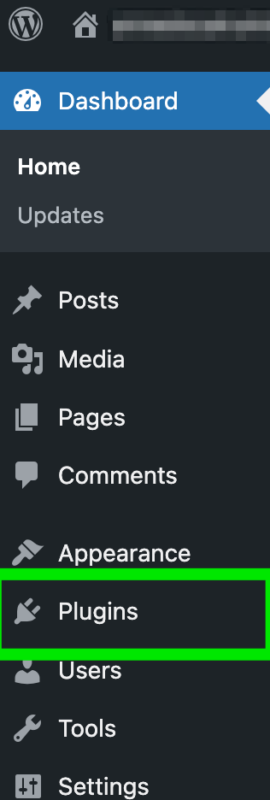
When you log in, click in the sidebar menu on “Plugins” to go to an overview of your plugins.
- Create a backup of your site
If you are not sure how to do this, take a look at the article How to create a backup for your WordPress site.
- Install Yoast SEO
- Deactivate wpSEO
In the sidebar menu, click on “Plugins”. Find the wpSEO plugin and click on the “Deactivate” button to disable it.

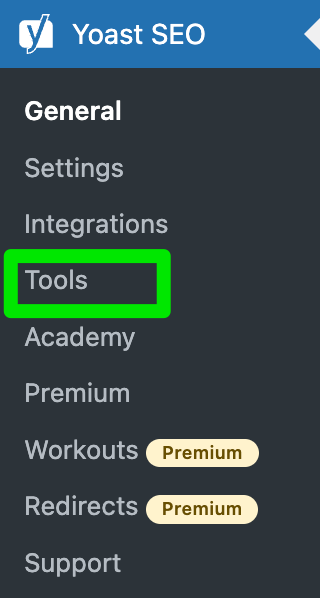
- Go to the Yoast SEO menu and select “Tools”
The “Tools” screen will open.
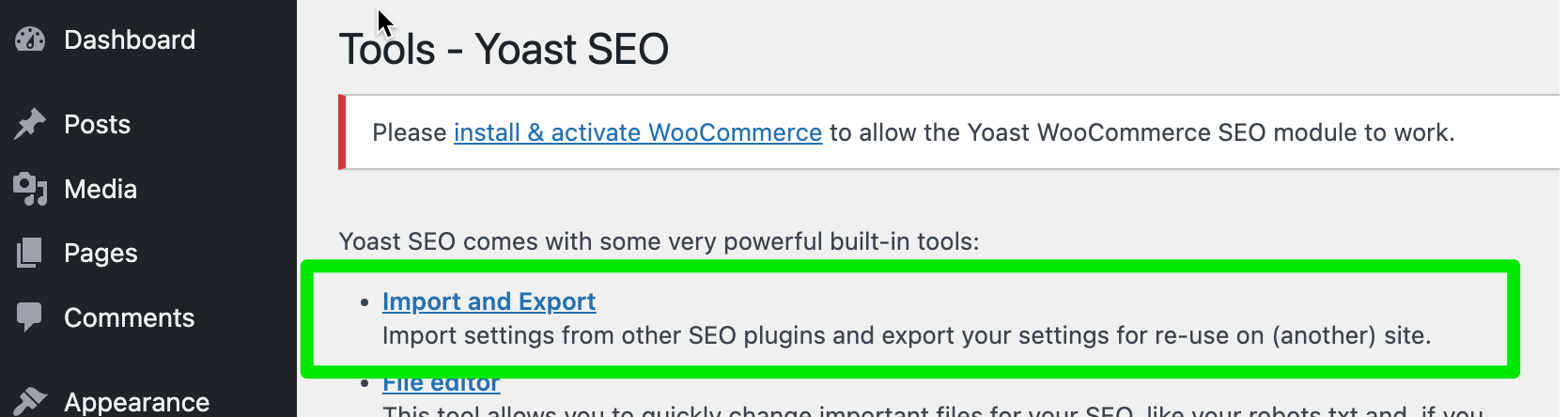
- Click on the “Import and Export” link
The Import and Export settings will open.
- Select the “Import from other SEO plugins” tab to import the data from wpSEO
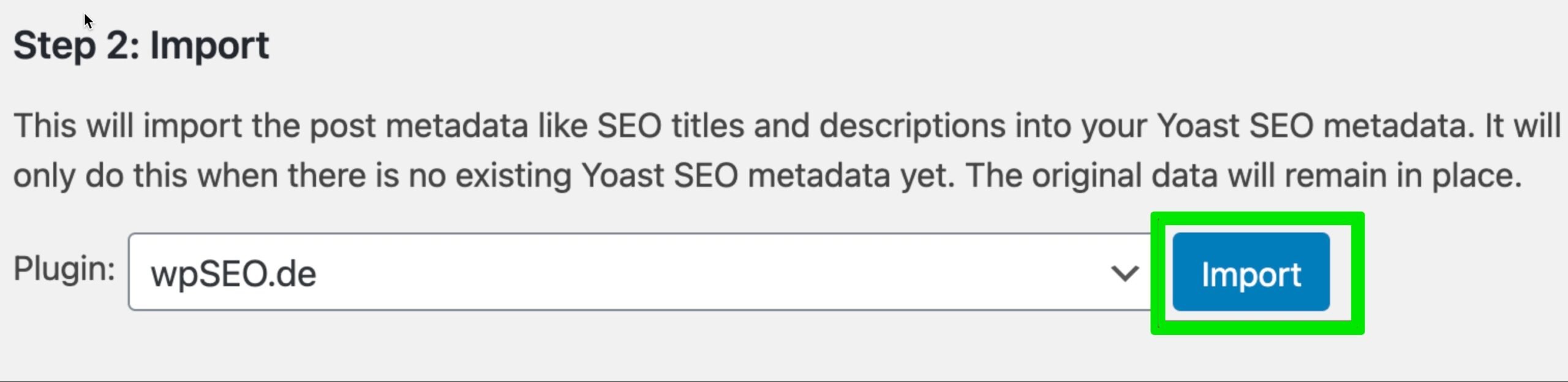
Select the wpSEO plugin in the drop-down menu and click on “Import” to migrate your data. The time it takes to import your data depends on the amount of information you have in your back-up. Once the import is complete you will see a notification at the top of the screen.
- Check that your data has been imported correctly
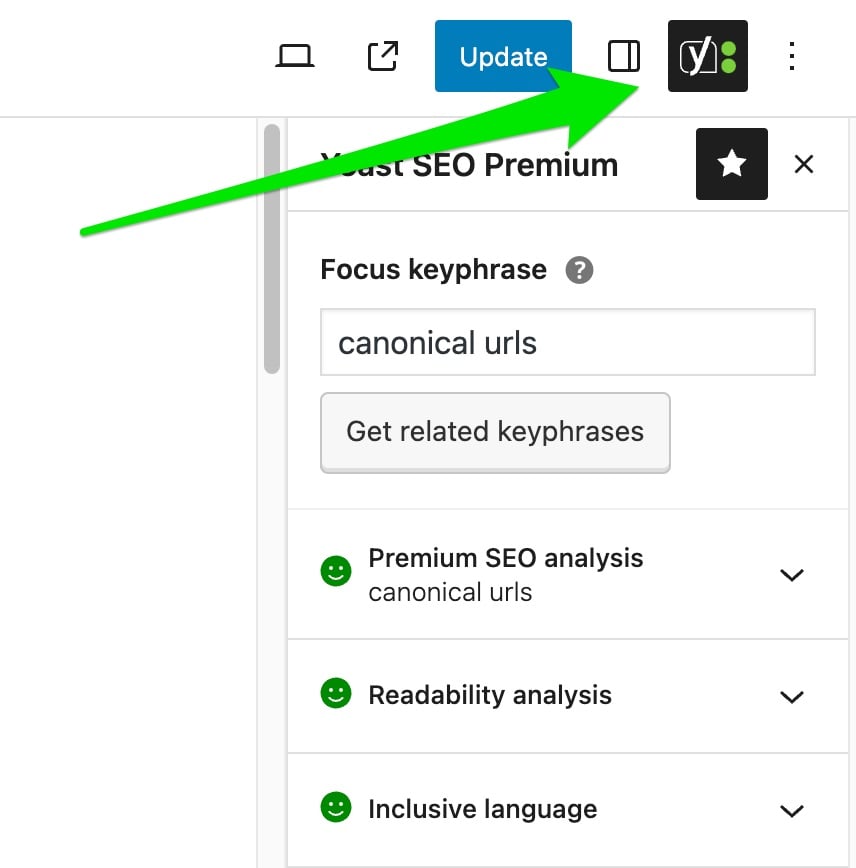
All your focus keyphrases, SEO titles and descriptions should have migrated to the Yoast SEO plugin. You can check this by opening any of your posts under “Posts” in the WordPress sidebar. Open the Yoast sidebar at the top right of your screen to check if your focus keyphrase and other metadata are still filled in.
- Go through the First time configuration
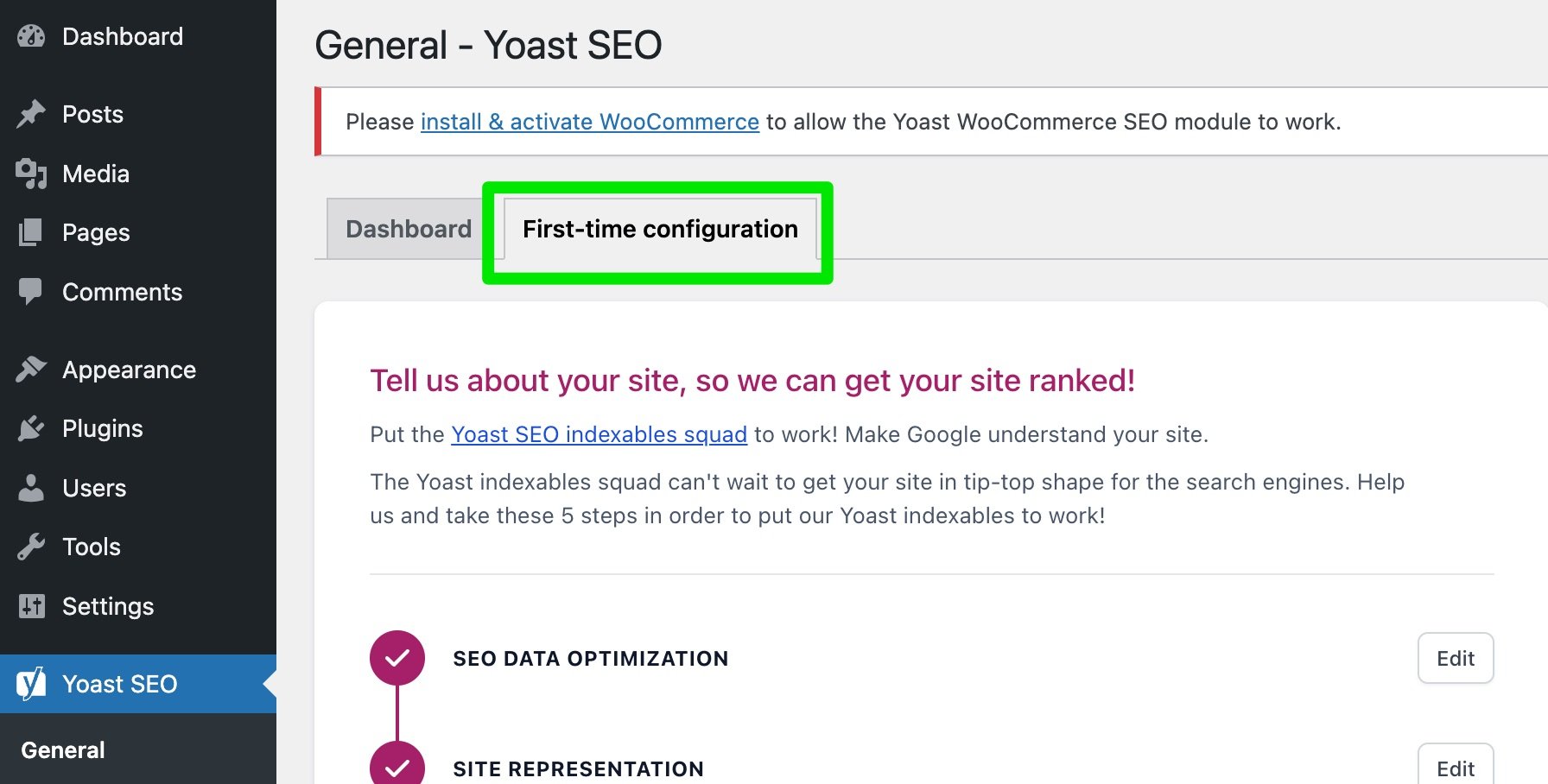
In the WordPress sidebar, click on the Yoast SEO menu and go to “General”. Here, you can find the “First-time configuration” tab. You will need to follow the steps so that you set up Yoast SEO properly.
- Clean up your remaining data
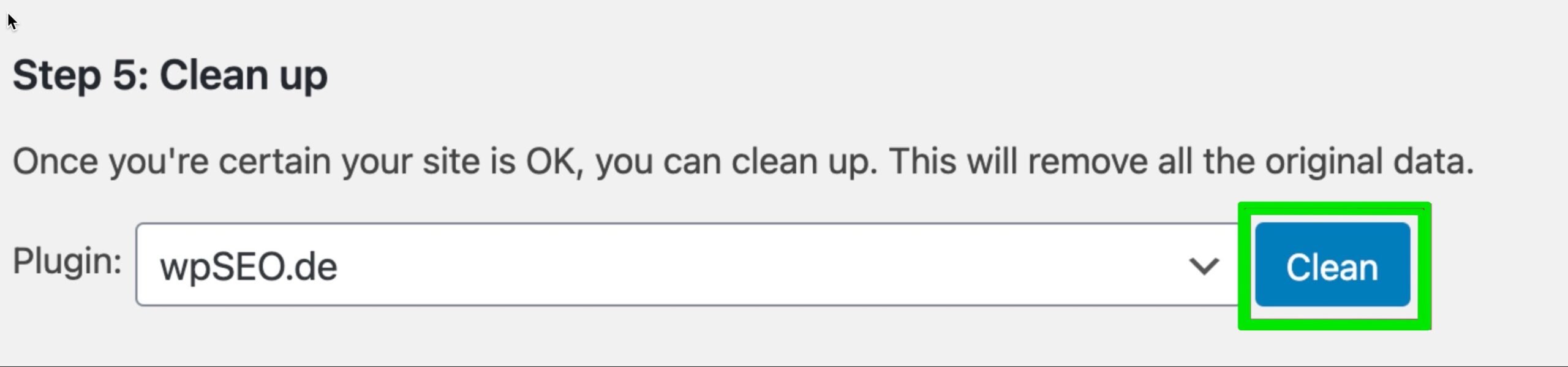
After finishing the First-time configuration, go back to the Yoast SEO menu and return to the “Import from other SEO plugins” tab under “Import and Export”. Select “Step 5: Clean up” to clean your remaining wpSEO data. When all the old data has been cleaned, you will receive a notification at the top of your screen.
Are you new to Yoast SEO and do you have questions? The following posts can help!
Get started with Yoast SEO the right way
- The beginners guide to Yoast SEO
- How to use the content analysis in Yoast SEO
- WordPress SEO the definite guide
Related articles


Get Yoast SEO Premium
Drive more traffic to your site. Use AI to save time doing SEO tasks. Make SEO easier. And get 24/7 support.